Everything a grain carter needs, in one place
Three parts that work off the same records: an app for your drivers, an app for you, and office pages for the paperwork.
Harvester, the driver app
Drivers sign in once and see only their own work.
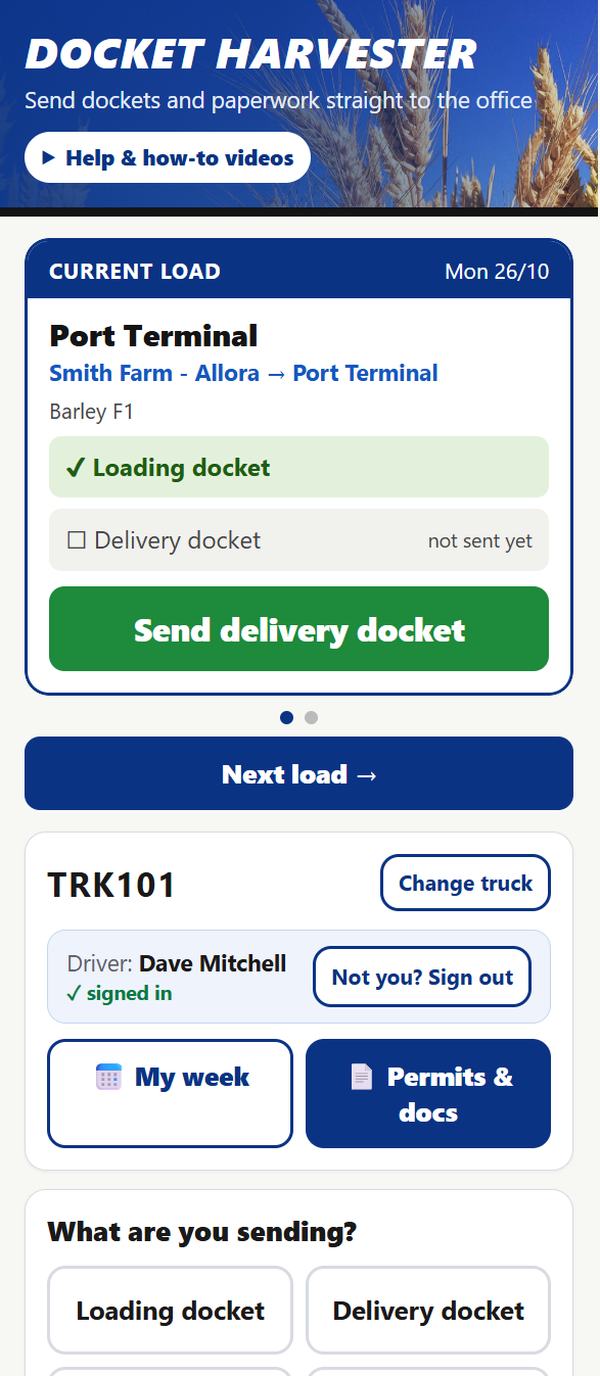
- Current load and next load, with the site details, UHF channel and drop pin
- Snap the loading and delivery dockets; the app reads the number and weight
- No paper docket at the farm? Make a digital one in the app
- Fuel, kilometres, nights away and other office paperwork sent straight from the phone
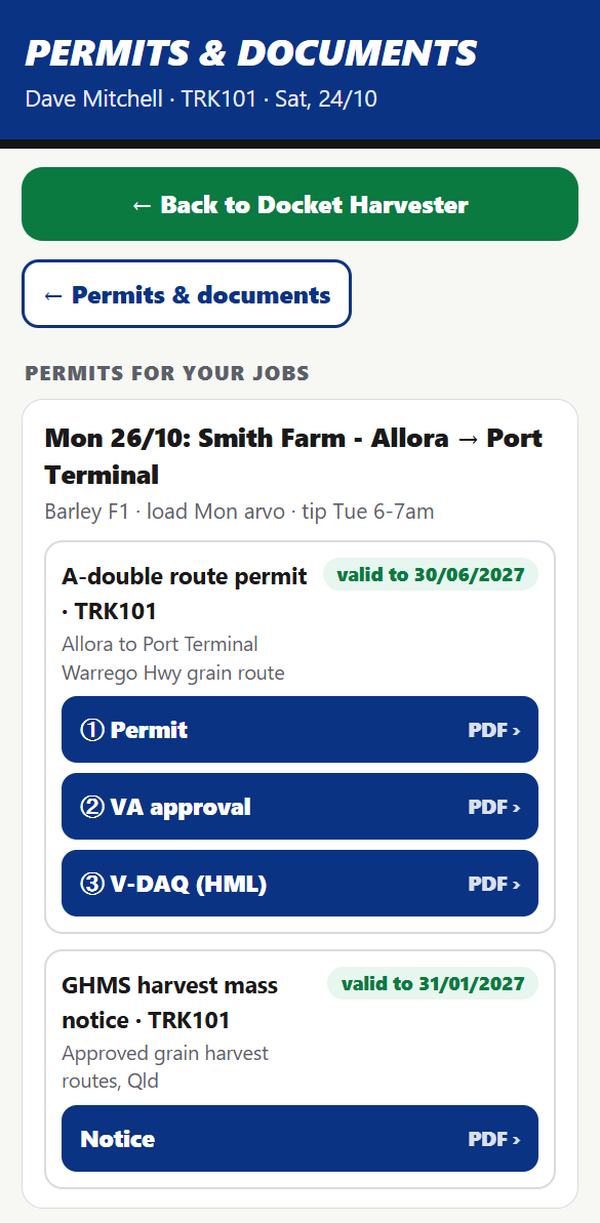
- Permits and their own documents ready to show at the roadside
- Works with no signal and catches up when the phone does
Boss, the owner's app
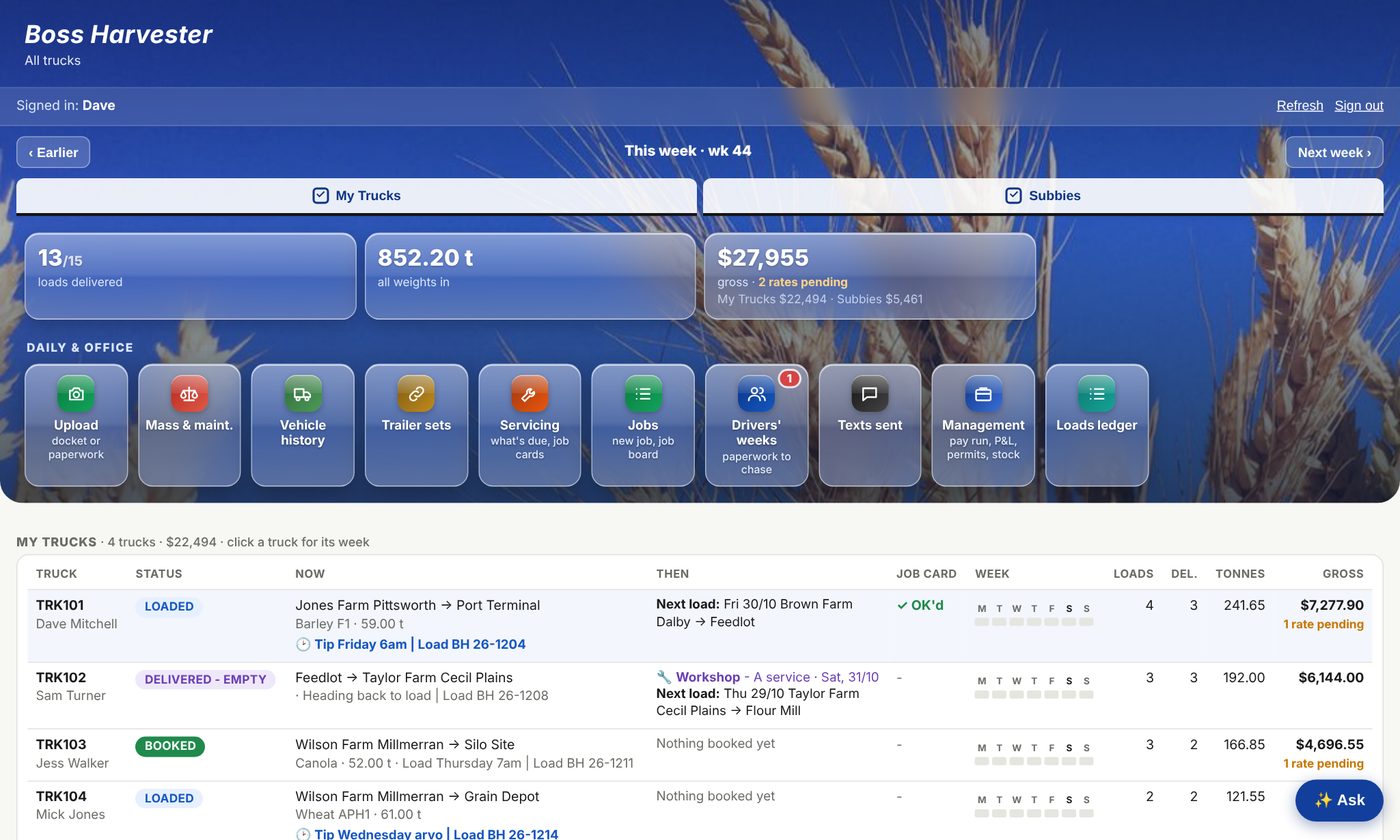
Your whole fleet on your phone or the laptop.
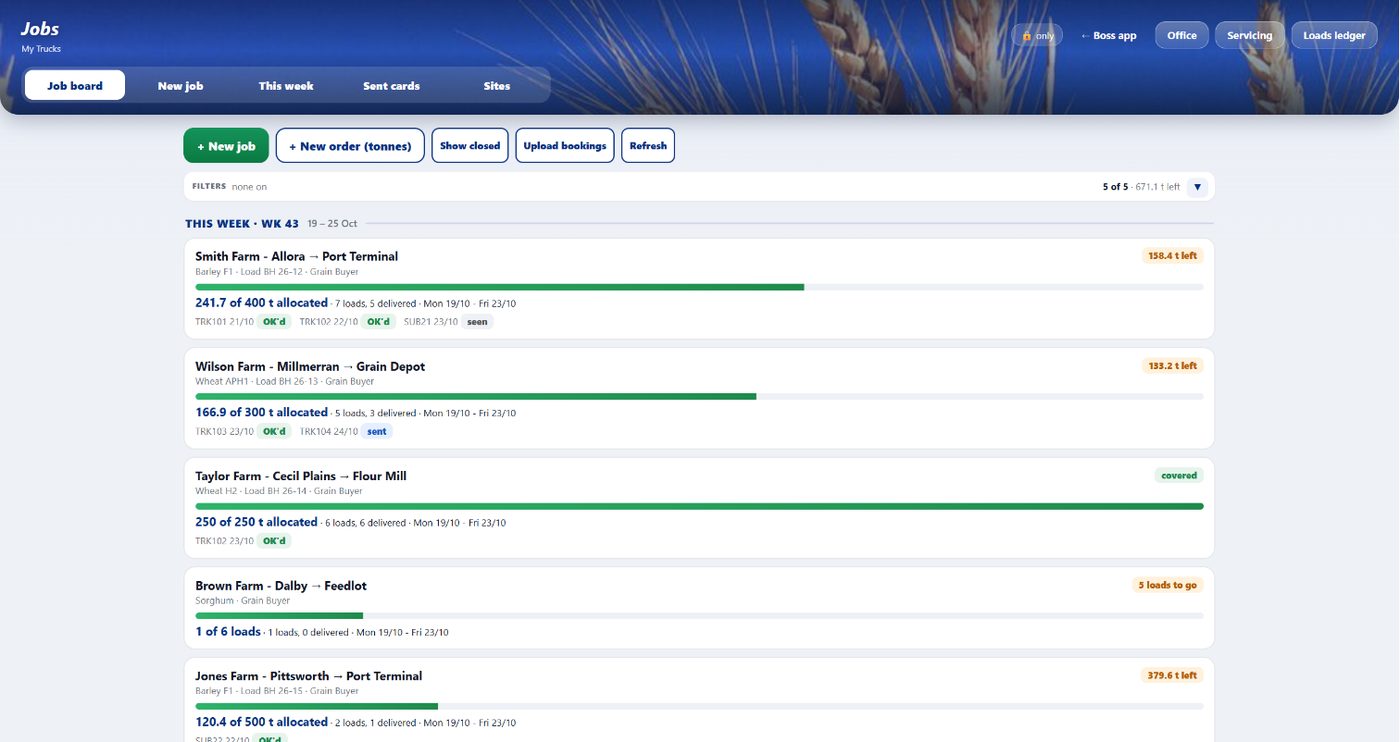
- This week's loads, tonnes and gross for your trucks and your subbies
- New jobs and a job board for work that doesn't have a truck yet
- Paste in GrainCorp SMO bookings, QBT slots, Ingham's bookings or release emails; the app reads them and matches each slot to a truck
- Harvest mode: one job card per truck all harvest. No new lines or rows to type and no chasing the driver when he changes farm; every load becomes its own run and invoice line automatically
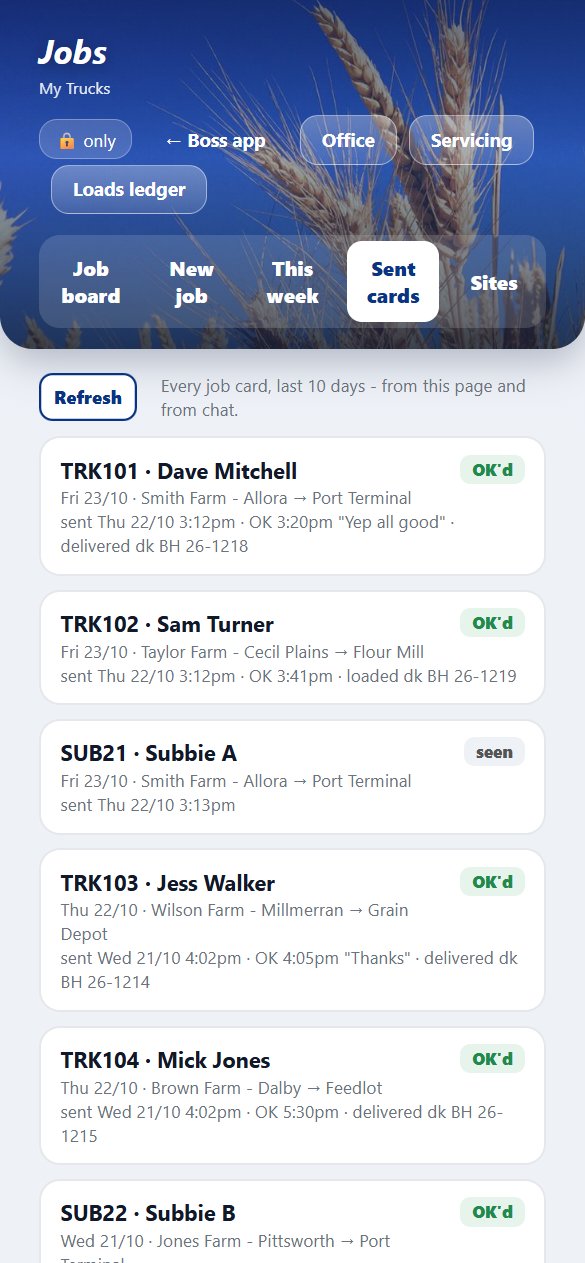
- Job cards texted to drivers, with OK and seen replies tracked
- Next week's plan: workshop days, tipping, loading and days off
- Mass and maintenance: weights against limits, services due, trailer sets and G&B
- An assistant you can ask, like "what's TRK102 doing tomorrow?"
Works with what you already use
Boss Harvester plugs into the accounts and email you've already got, so nothing changes for your customers and your accountant still gets what they need.
- Runsheets kept as Google Sheets, so you can always see the raw records
- Dockets, permits and paperwork filed into Google Drive folders by truck and week
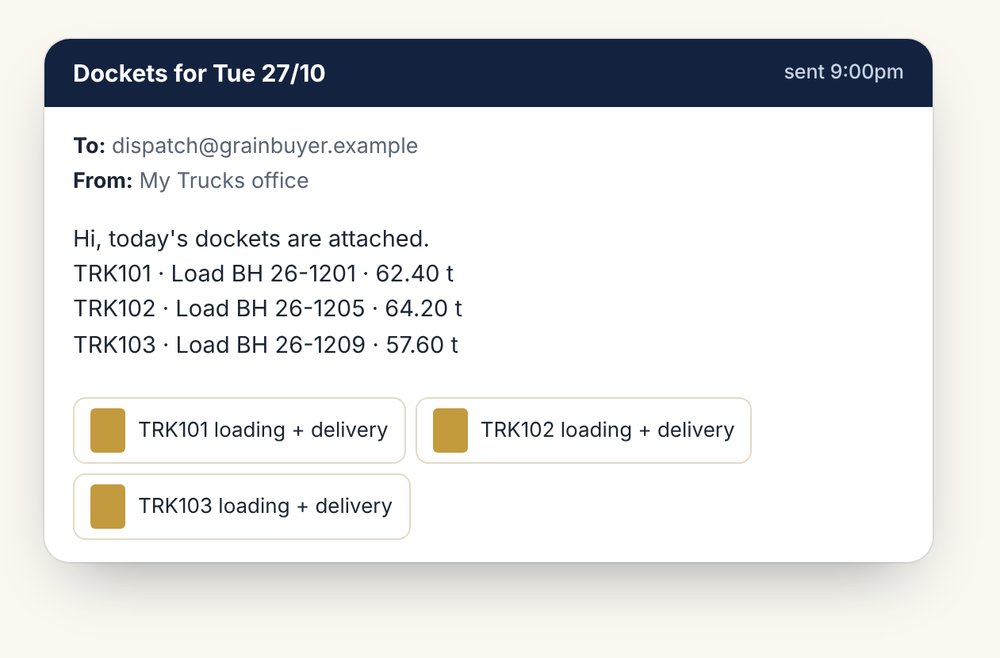
- Customer docket emails sent from your own Gmail or Google Workspace address
Microsoft 365
- Emails go out from your own Outlook address, so customers reply to you
- The assistant reads your inbox for rate replies, bookings and docket requests, and flags what needs you
- Files saved to OneDrive or SharePoint if that's where your office keeps them
QuickBooks and Xero
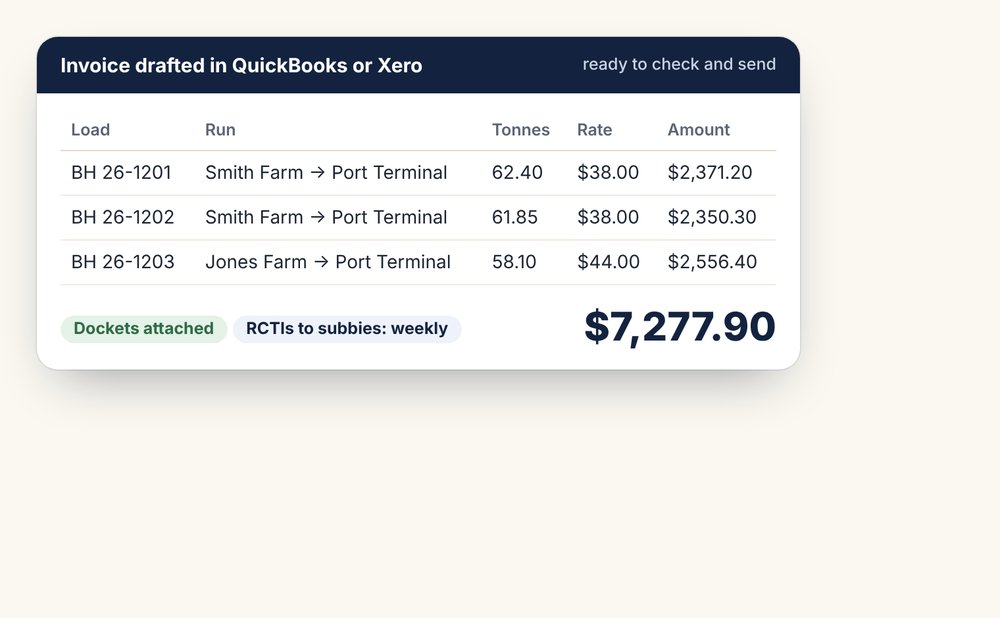
- Invoices drafted with the docket numbers and weights on every line
- Weekly RCTIs for subbies, and supplier bills matched as they come in
- Payments and remittances matched back to the loads, ready for your accountant
On the laptop too
The same Boss app opens in any web browser, with the management pages for the office work. Nothing to install: sign in on the office computer and everything is there, laid out for the bigger screen.
The office side
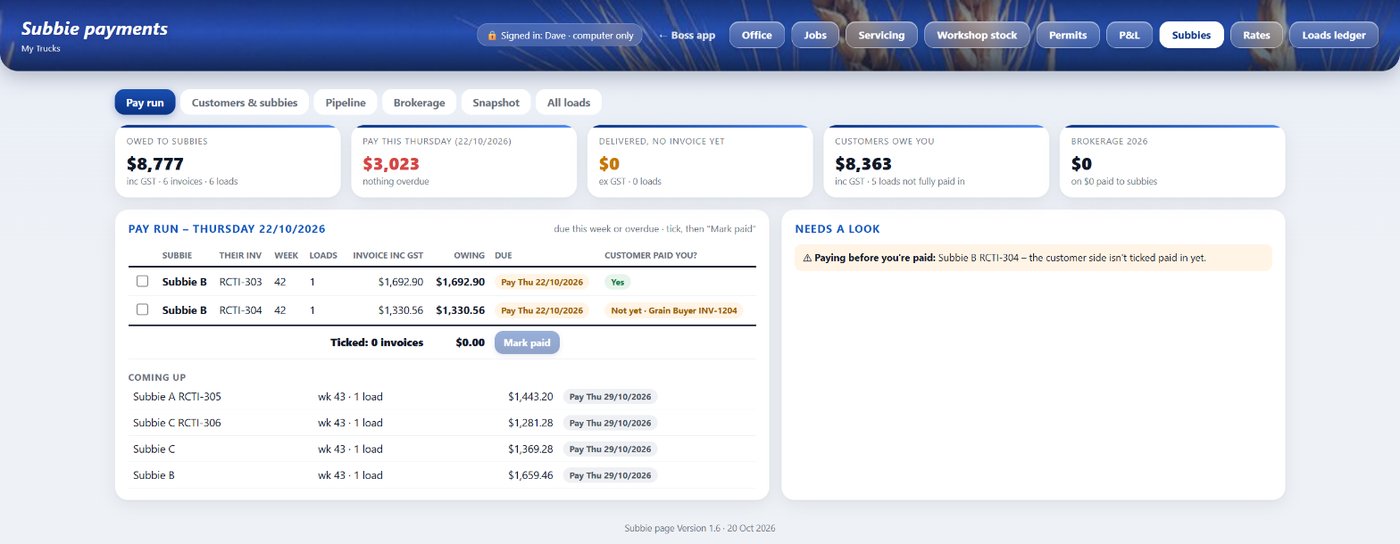
For the laptop, when it's time to get paid and pay people.
- Rates entered once and copied to every sheet that needs them
- Invoices drafted in QuickBooks or Xero, RCTIs for subbies
- Debtors, remittances and a Thursday pay run for subbies and bills
- Fuel ledger with each fill matched to the bowser or the card
- Weekly P&L per truck, and history you can search back through
- Your runsheets kept as Google Sheets too, so you can always see the raw records
Day one feels like you've been here for years
Upload your last six months: copies of your invoices so we match your layouts, your truck and driver lists, and your runs and loads. The AI sorts it all and builds a profile set up for how your business runs. You start with a database you can build on straight away, not a blank page.